Shared Calendar Guide & Login
Use of the Shared Calendar is only authorised for people directly or indirectly involved in organising publuc ceilidhs/barn dances in the GL5, GL6 GL10 areas. This generally means:
- Event promoters
- Bands and Callers who would like to ne booked to perform for these promoters
- Not the general public
Registration
Please fill in the
Registration Form
How to Use the Shared Calendar
When planning a ceilidh/barn dance:
- Login
- Browse the calendar and hover over an event of interest
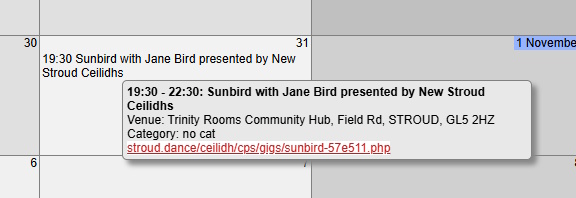
After a bit of browsing, you'll probably identify a blank date you can use. Click it and fill in the form that pops up. Here's an example:
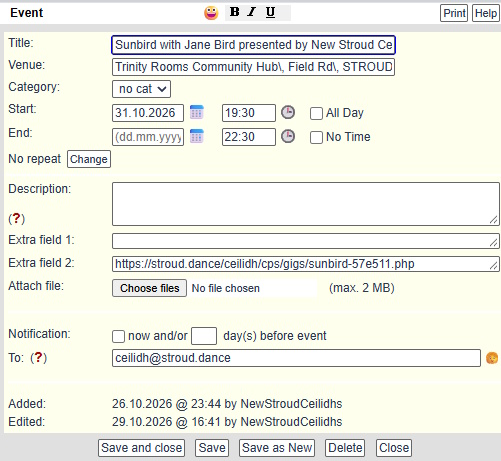
Tips:
- Remember that the "audience" for this is other organisers, etc. like you. Not the public
- You do not need lots of detail
- If you want to show the URL of your event, put it in"Extra field 2"
- Fill in the Venue. Its postcode is enough
- Set the Category to:
- Definite The venue, band and caller are firmly booked
- Possibly The venue and/or performers haven't confirmed yet
- Just Testing You're just trying out the calendar
- When you've filled in the form, click Save and close
- You can always find your event and edit again by clicking on it
If you click on someone else's event, you'll see something like this:
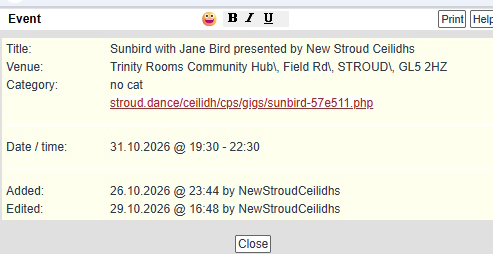
You can't edit other organiser's eventsLogin
Login
here